Showing posts with label Adaptive Cards. Show all posts

Saturday, 26 March 2022

Adaptive Card error in MS Teams "We're sorry, this card couldn't be displayed"

I have created a Power Automate flow where the adaptive card will trigger the flow when the user selects for a message in Microsoft Teams.

{
    "type": "AdaptiveCard",
    "$schema": "http://adaptivecards.io/schemas/adaptive-card.json",
    "version": "1.5",
    "body": [
        {
            "type": "TextBlock",
            "text": "@{triggerBody()?['cardOutputs']?['actaskTitle']}",
            "wrap": true
        }
    ],
    "actions": [
        {
            "type": "Action.OpenUrl",
            "title": "Open To Do",
            "url": "https://to-do.office.com/tasks/id/@{outputs('Add_a_to-do_(V3)')?['body/id']}/details"
        }
    ]
}

When I select the task from the message:
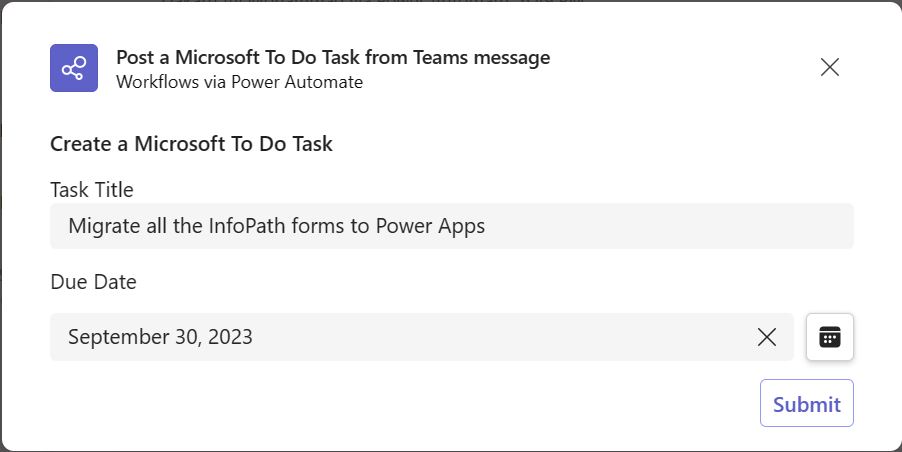
To fix the issue, go back and edit the flow and change the version from "1.5" to "1.4" and re-run; at this point, you should see the card displays correctly.


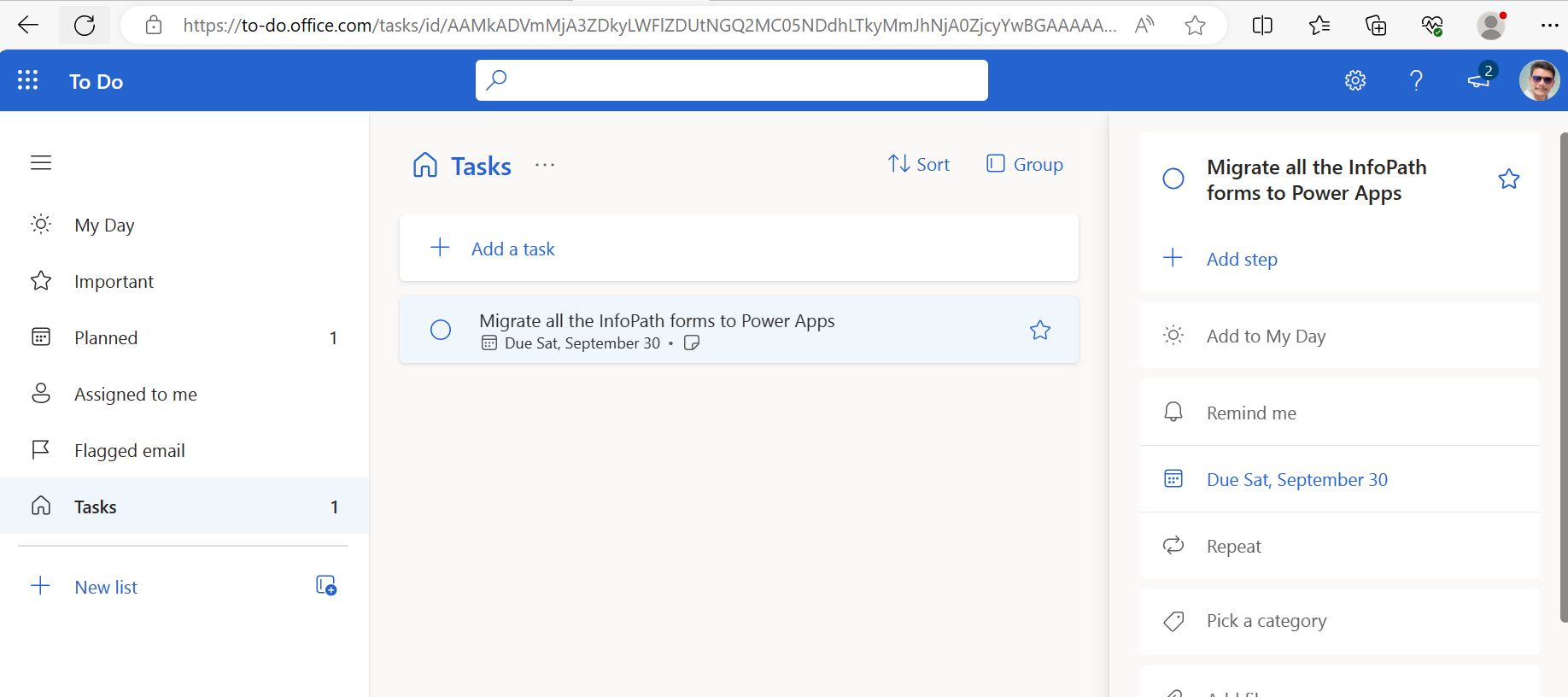
Once you click on 'Open To Do', it will redirect you to Microsoft To To:
Saturday, 26 February 2022

Post a Adaptive Card on Team members channel on their Birthday

1. Create a scheduled flow and set the recurrence to daily.

2.  Add 'List Group Members' action from Office 365 Groups connector and select your Team Id.

3. Loop all the Team members using apply to each.

  • To get the birth date information Add 'Get User Profile(v2)' action and select 'User Principal Name' in the User section.
  • Add condition and write expression to format the users birth date to retrieve only month and date.        
        formatDateTime(outputs('Get_user_profile_(V2)')?['body/birthday'],'MM-dd') is equal to                             formatDateTime(utcNow(),'MM-dd')
  • If the above condition is matches, add 'Get User Photo(v2) and select UPN.
  • Add a action ''Post a adaptive card in chat or channel' and select your teams channel details.
  • Paste the JSON into 'Adaptive card' section which was designed/copied from Designer | Adaptive Cards
{
    "type": "AdaptiveCard",
    "$schema": "http://adaptivecards.io/schemas/adaptive-card.json",
    "version": "1.3",
    "body": [
        {
            "type": "TextBlock",
            "text": "Happy Birthday !!!",
            "wrap": true,
            "size": "Large",
            "color": "Accent",
            "horizontalAlignment": "Center"
        },
        {
            "type": "ColumnSet",
            "columns": [
                {
                    "type": "Column",
                    "width": "stretch",
                    "items": [
                        {
                            "type": "Image",
                            "url": "data:image/png;base64,@{base64(outputs('Get_user_photo_(V2)')?['body'])}"
                        }
                    ]
                },
                {
                    "type": "Column",
                    "width": "stretch",
                    "items": [
                        {
                            "type": "TextBlock",
                            "text": "@{outputs('Get_user_profile_(V2)')?['body/displayName']}",
                            "wrap": true
                        }
                    ]
                }
            ]
        },
        {
            "type": "TextBlock",
            "text": "Have a nice day !",
            "wrap": true
        },
        {
            "type": "Image",
            "url": "https://media0.giphy.com/media/v1.Y2lkPTc5MGI3NjExcGswdGExaWl3NTYyMzNjZ2VkN2piaHI4emVmZjlzdTV5OXdoNDd2eCZlcD12MV9pbnRlcm5hbF9naWZfYnlfaWQmY3Q9Zw/eLp6v4ca9zajMUnFDL/giphy.gif"
        }
    ]
}

Wednesday, 9 February 2022

Generate dynamic poll using Microsoft Teams Adaptive Card

If you are looking to generate a dynamic poll in Microsoft Teams on a button click, we have default template available in Power Automat which you can see from the below screenshot.


You flow will look like below:

When you run the flow, you will be asked to enter the inputs:


And here is the poll which is posted in Teams channel: